Replacing a stack of paper charts with a digital tablet introduces new hardware vulnerabilities to your preflight planning. An improperly secured device easily turns into a dangerous projectile during severe turbulence. Selecting the right iPad for pilots requires far more than just downloading software and hoping the battery lasts until you land. You must actively engineer a setup that survives direct sunlight, extreme cabin temperatures, and heavy physical vibration. Organizing your cables and cooling cases starts before you even reach the aircraft, making it a mandatory component of evaluating pilot flight bags for maximum efficiency. The Federal Aviation Administration provides strict guidance on utilizing electronic flight bags, reinforcing the standard that a pilot must secure their hardware to prevent flight control interference.
Cellular Versus Wi-Fi Hardware Specifications
Purchasing the base model tablet often results in a total loss of situational awareness in the air. Apple only installs the internal GPS receiver inside the cellular versions of their tablets. The standard Wi-Fi model cannot track your position on a moving map without an external Bluetooth receiver. Pilots often assume they can just tether the tablet to their smartphone data plan. Cellular towers face the ground, meaning you lose all network connectivity shortly after takeoff. If you want a standalone device that plots your exact location independently, you must buy the cellular version. You do not need to activate a monthly data plan through a carrier; the internal GPS chip functions completely off the grid. You can verify these exact hardware limitations by reviewing the technical documentation provided by Apple Support before making a massive financial investment.
Preventing Thermal Shutdowns In Direct Sunlight
General aviation canopies act like massive magnifying glasses, focusing direct solar radiation straight onto your dark screen. An iPad will trigger a thermal shutdown to protect its lithium-ion battery when the internal temperature exceeds ninety-five degrees Fahrenheit. When the screen goes black on short final, you instantly lose your approach plates and traffic data. You must keep the device out of direct sunlight whenever possible. Active cooling cases provide a physical defense against this heat. These specialized mounts utilize internal fans to force ambient air directly across the back of the aluminum chassis. The Aviation Safety Reporting System contains hundreds of reports detailing exactly how sudden electronic flight bag failures force crews into high-workload emergency scenarios, proving that thermal management represents a primary safety threat.
Evaluating Cockpit Mounting Solutions
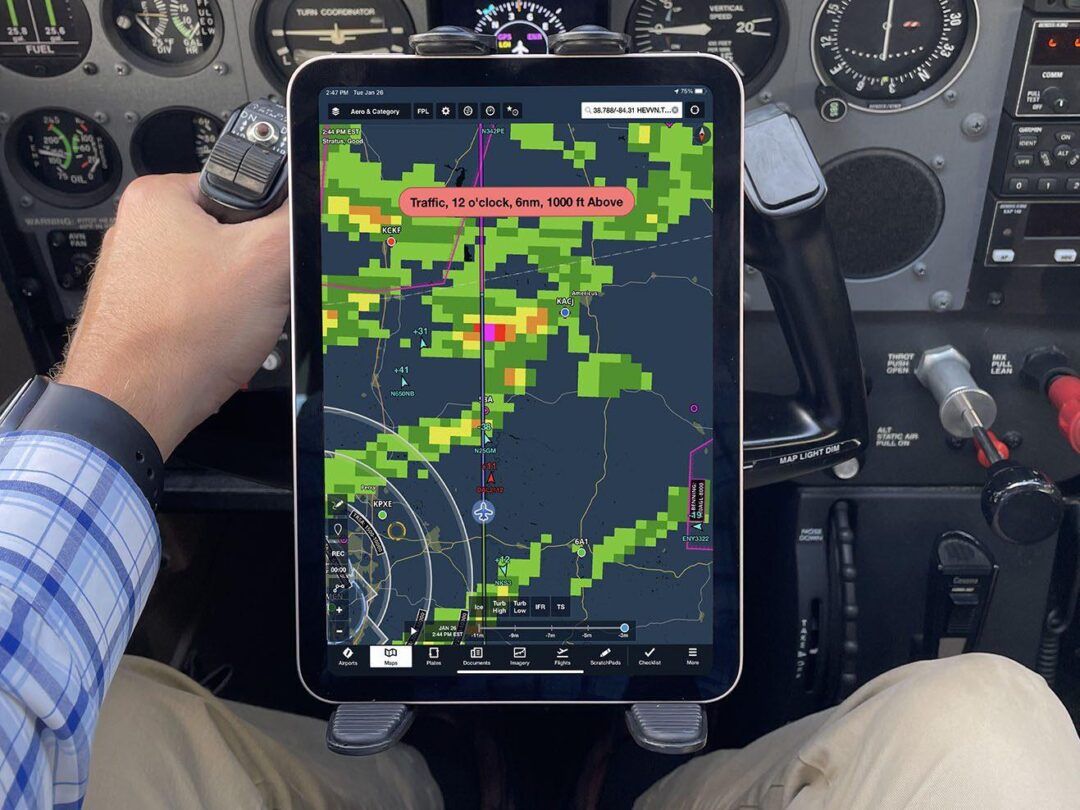
You must secure the screen directly in your primary field of view without blocking outside traffic or the physical panel instruments. Suction cup mounts work well on side windows. They tend to detach when the acrylic expands and contracts with altitude changes. Yoke mounts place the approach plates directly in front of you. The added weight alters the control feel and sometimes blocks the horizontal situation indicator.
| Mount Type | Optimal Aircraft Type | Primary Drawback |
| Yoke Mount | Cessna 172, Piper Archer | Blocks lower panel instruments; adds control weight. |
| Window Suction | Low-wing canopies | Detaches during extreme temperature fluctuations. |
| Kneeboard | Fighter/Tandem aircraft | Forces a “heads-down” scan pattern. |
A kneeboard strap solves the mounting problem in aircraft with stick controls. It forces you to look down at your lap continuously. You must test your selected mount on the ground. Move the flight controls to their physical limits to verify the tablet does not jam the yoke during a crosswind landing.
Managing Continuous Power Draw
Running a bright screen, an active GPS receiver, and a Bluetooth connection to your headset drains a standard battery in a few hours. You cannot rely on a single charge for a long cross-country flight. Most modern aircraft feature 12-volt accessory ports, allowing you to plug in a USB adapter. If you rent older trainers without electrical ports, you must bring a heavy-capacity lithium power bank. The Pipeline and Hazardous Materials Safety Administration regulates the exact size of lithium batteries allowed on aircraft, restricting uninstalled power banks to 100 watt-hours. Route your charging cables cleanly along the side panels of the cabin. A loose charging cable wrapping around a flap handle or a trim wheel creates a severe mechanical emergency that you can avoid with basic cockpit organization.