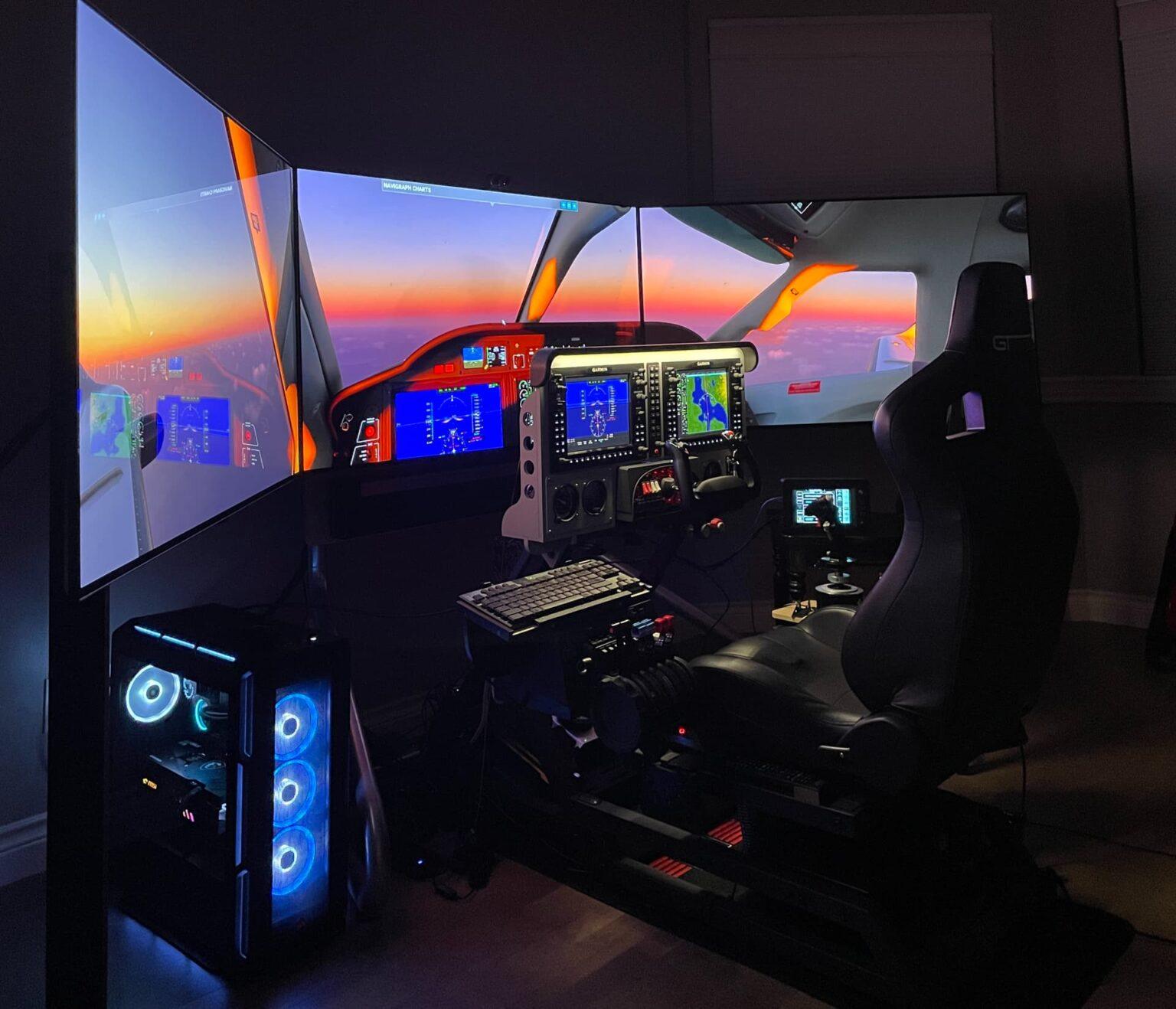
Earning an instrument rating forces students to master complex avionics management while maintaining aircraft control solely by reference to dashboard instruments. Renting a standard trainer at two hundred dollars an hour just to learn how to program a GPS wastes thousands of dollars. Setting up a dedicated home flight simulator solves this massive financial drain. A proper desktop rig allows you to practice holding entries, approach briefings, and emergency procedures without paying a Hobbs meter. Developing a rock-solid instrument scan requires repetition, and a desktop setup grants you unlimited access to practice anytime the weather grounds the real aircraft.
Software Selection: X-Plane Versus Microsoft Flight Simulator
Choosing the correct software forms the foundation of your training setup. The two primary options dominating the market are Microsoft Flight Simulator (MSFS) and Laminar Research’s X-Plane. While Microsoft offers stunning satellite-generated visual scenery, instrument students rarely look outside the window. Your focus remains entirely inside the cockpit.
X-Plane consistently wins the debate for IFR training due to its highly accurate flight dynamics engine and realistic avionics modeling. The developers designed X-Plane specifically to mimic the fluid dynamics of real aircraft, making the instrument scan feel highly authentic in heavy weather. You can verify the technical specifications of their commercial-use versions through the Laminar Research X-Plane professional portal to see exactly why professional flight schools use this software for procedural training.

Choosing The Right Flight Controls And Hardware
Flying with a computer keyboard ruins the entire training objective. You must purchase hardware that mimics the physical resistance of an actual cockpit. A quality yoke and dedicated rudder pedals force you to use proper coordination during steep turns and localizer tracking. Brands like Honeycomb Aeronautical or Logitech offer pro-sumer control yokes that map directly to your chosen software, allowing you to manipulate physical switches instead of clicking a mouse.
By replicating the tactile feedback of the flight deck, your brain builds the correct motor skills. This preparation translates directly into the real aircraft, helping you build flight hours efficiently because you spend your rented lesson time refining physical techniques rather than learning basic buttonology.
| Hardware Type | Primary Function | IFR Proficiency Benefit |
| Yoke or Stick | Pitch and roll control. | Builds muscle memory for standard rate turns. |
| Rudder Pedals | Yaw control and braking. | Maintains coordinated flight during crosswind approaches. |
| Throttle Quadrant | Manages power, prop, and mixture. | Reinforces complex energy management and approach flows. |
Integrating Live Air Traffic For Radio Proficiency
The heaviest workload during an instrument approach involves communicating with air traffic control while configuring the aircraft for landing. Practicing your radio calls in a silent room builds false confidence. Connecting your home flight simulator to a live air traffic network like PilotEdge or VATSIM introduces real humans acting as controllers.
These controllers issue authentic IFR clearances, vector you onto approach courses, and force you to copy holding instructions on the fly. This live interaction cures microphone fright and teaches you how to compartmentalize radio chatter. Reviewing the training resources at the VATSIM Aviation Training Center provides the necessary phraseology guidelines to interact on these live networks successfully.

The Legalities Of Logging Simulator Time
Many students assume they can log the hours flown on their desktop computer toward their FAA minimums. Federal regulations strictly prohibit logging time on a standard gaming setup. To legally log instrument approaches or currency, you must use an approved Basic Aviation Training Device (BATD) or Advanced Aviation Training Device (AATD). These devices require a letter of authorization from the FAA and specific hardware configurations that prevent users from altering the aerodynamic models.
Even if your desktop rig lacks official certification, the practical proficiency you gain remains invaluable. The goal is to perfect your instrument scan and avionics flow, saving you money during your actual flight lessons. You can read the specific hardware requirements for official certification by referencing the Federal Aviation Administration Advisory Circular 61-136 to see exactly what separates a legal simulator from a home proficiency tool. Treat your home setup as a procedural trainer, and you will arrive at the airport fully prepared to execute the lesson profile perfectly.