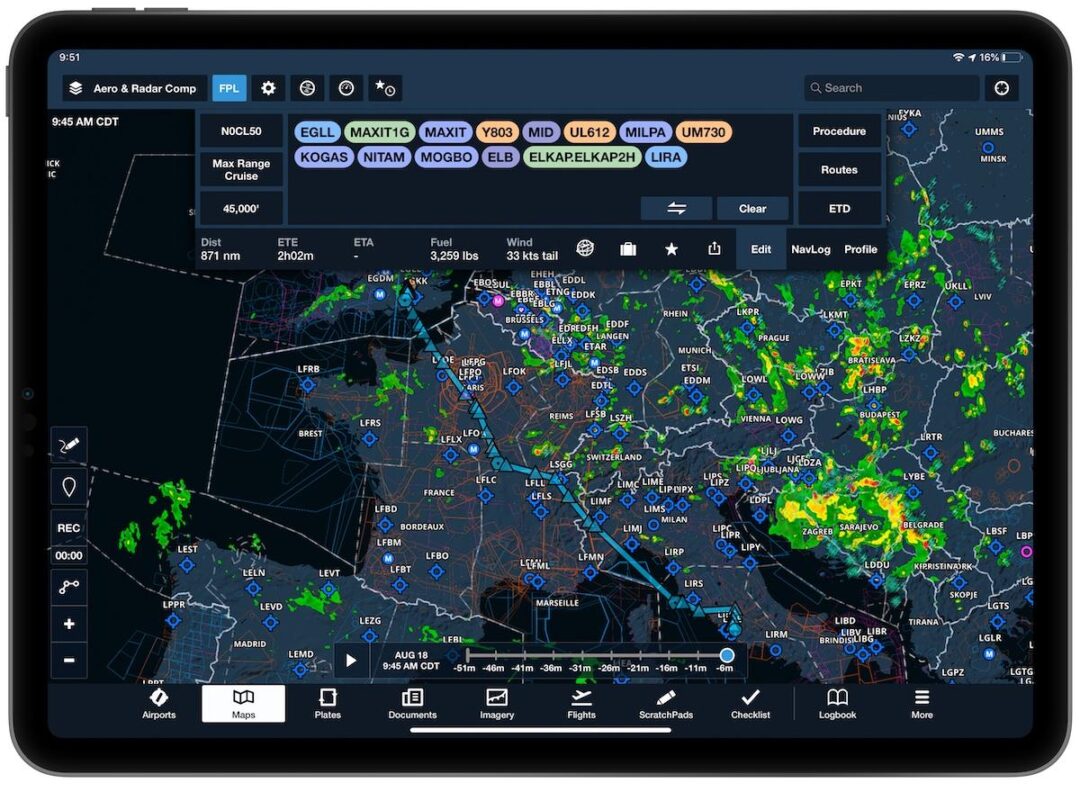
Aviation technology has drastically shifted the way aviators interact with the national airspace system. The shift from unfolding massive paper sectional charts in a cramped cockpit to tapping a glass screen represents a massive upgrade in situational awareness. Using an electronic flight bag reduces your physical workload, freeing up mental bandwidth to focus on flying the airplane. Configuring ForeFlight for student pilots correctly from day one prevents bad habits and guarantees you have the right data available when you lose your internet connection at altitude. A properly configured tablet becomes an indispensable tool as you prepare for your first solo flight success. To guarantee compliance with legal chart requirements, you must review the official FAA advisory circulars on electronic flight bags before completely retiring your paper backups.
Configuring Aircraft Profiles And Weight Data
Every single calculation ForeFlight makes relies on the specific aircraft profile you build in the settings menu. You must input the exact empty weight, moment, and performance numbers straight from the Pilot’s Operating Handbook for your specific trainer’s tail number. Using a generic Cessna 172 template often results in inaccurate fuel burn predictions and dangerous center of gravity calculations. When you input the correct glide ratios and true airspeed parameters, the software accurately predicts your time en route and fuel reserves. Taking the time to input this data accurately pays off immensely when you start planning cross-country routes and figuring out how to build flight hours efficiently as a student pilot. You can verify runway length requirements and performance charts against the data published in the Aeronautical Information Manual (AIM) to confirm your digital profile matches reality.

Managing Chart Downloads And Data Currency
A common mistake new users make involves planning a flight on Wi-Fi and losing all their map layers the second they reach three thousand feet. The software requires you to physically download the VFR sectionals, IFR en route charts, and approach plates to your device storage before you leave the ground. Utilizing the “Pack” feature solves this problem entirely. This function analyzes your planned route and prompts you to download all necessary weather briefings, NOTAMs, and charts for that specific corridor.
| Feature | Primary Function | Practical Application |
| Aircraft Profile | Stores weight, balance, and performance data. | Automates fuel burn and center of gravity calculations. |
| Pack Feature | Downloads route-specific data for offline use. | Prevents blank screens when flying outside cellular range. |
| Logbook | Digitally tracks Hobbs time, landings, and endorsements. | Backs up your paper logbook to a secure cloud server. |
Avoiding GPS Dependency During Primary Training
Having a moving map in your lap offers incredible convenience, but it introduces a dangerous crutch for unseasoned aviators. Primary flight training focuses heavily on pilotage and dead reckoning. Instructors frequently fail a student’s iPad in flight to force them to look out the window and identify ground reference points. You must learn to correlate the digital map with the physical terrain below you rather than simply chasing the magenta line. Keeping your eyes outside the cockpit remains the most effective way to avoid traffic and identify changing weather patterns. Adopting the true lifestyle of general aviation pilots requires a solid foundation in basic airmanship, independent of GPS satellites. You can study traditional navigation methods through resources provided by the Aircraft Owners and Pilots Association (AOPA) to keep your manual plotting skills sharp.
Final Thoughts
Integrating an iPad into your flight training strategy requires discipline. Treat the software as a secondary backup to your primary visual scanning and situational awareness. Once you master the interface and configure your downloads correctly, the application transforms your cockpit management. You spend less time shuffling papers and more time actively flying the airplane.